Credit Cards
- Process payments on your own, or integrate with a payment service such as PayPal, Google Wallet, Authorize.net, or Pay By Check.
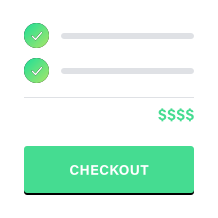
- Create order forms with automatic totaling.
- Users will see a special Order Review page at the end of the form, where they can confirm their order.
- Utilize a variety of order form items, including standard totaling items, quantities, percents, and coupon codes.
- Ensure safety for you and your users with our Security options.
- Users can complete your order form and submit payments via PayPal.
- Secure, easy payment processing.
- Status and details of payment transaction are available in FormSite results, making it easy to track every order.
- Forward users to your custom page after payment.
- Receive emails detailing payment status updates.
- Enable multiple payment options to give your users a choice of payment services.
- Users can complete your order form and submit payments via Google Wallet.
- Secure, easy payment processing.
- Status and details of payment transaction in FormSite results, making it easy to track every order.
- Forward users to your custom page after payment.
- Receive emails detailing payment status updates.
- Enable multiple payment options to give your users a choice of payment services.
- Users can complete your order form and submit payments via Authorize.net.
- Secure, easy payment processing.
- Status and details of payment transaction are available in FormSite results, making it easy to track every order.
- Forward users to your custom page after payment.
- Receive emails detailing payment status updates.
- Enable multiple payment options to give your users a choice of payment services.
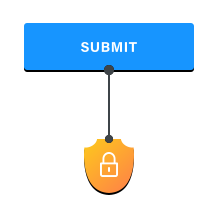
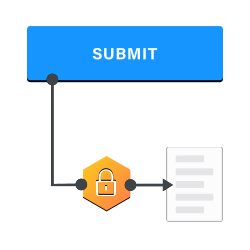
- Create secure forms.
- Protect your submissions and results.
- Utilize encryption on sensitive data.
- Receive special guidelines on best practices.
- Use SSL to protect your data without any complicated steps.
- Allow users to save their results and return to them later.
- Each user can have their own individual account.
- Save partial results, or update saved results.
- Each account has access to only its result.
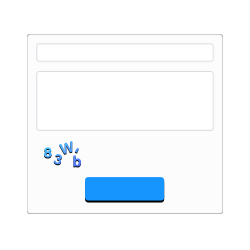
- Prevent form spam with Captcha.
- Verify that a legitimate result is being submitted.
- Just add a single item to your form.
- Allow users to upload files with their results.
- Accept any file type.
- Optionally limit the size of file you want.
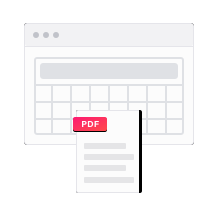
- Generate PDFs with your results.
- Populate your own custom PDFs.
- Email, download, or simply view your Results PDFs in Adobe Acrobat, Reader, or any PDF viewer you choose.
- Target users on smartphones, tablets, and other mobile devices.
- Take advantage of unique screen formatting.
- Make your forms look great and easy to fill out.
- Break your form into multiple pages.
- Make a long form easier to fill out for your users.
- Save partial results between pages.
- Enable more advanced features such as Rules.
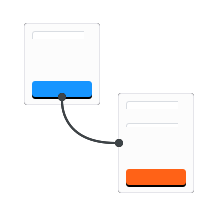
- Customize the flow of your form using a set of rules.
- Show/Hide individual items.
- Jump to different pages in your form.
- Calculate a value based on user input.
- Use the equation's outcome for Conditional Logic, include it in the order or scoring total, or just use it for display purposes.
- Equation can be simple or complex, using values from the form as well as constants.
- See your results in a variety of formats.
- Embed your results.
- View different trends and groupings based on your results.
- Stylish, dynamic graphs are great for presentations.
- Retrieve your results in a downloadable format.
- Import your results into a separate application.
- Optionally download any attachments from your form.
- Make an archive of your results.
- Insert results collected from your form into Salesforce.
- Integration can interact with any available Salesforce object, even custom objects and custom fields.
- Easily create robust web-to-lead or web-to-case forms utilizing FormSite's extensive features, including advanced validation, multi-page and item and page rules logic, and notifications.
- Simple setup - once your form is connected to Salesforce, our Salesforce object block item can handle all the item insertion and mapping for you.
- Automatically inserts results into Salesforce in real-time.
- Result updates are also handled live and show up in Salesforce instantly.
- Insert results from FormSite into your MailChimp mailing lists.
- Apply our results filters to only insert the data you want.
- Easy setup - once your form is connected to MailChimp, FormSite will start inserting results automatically.
- Automatically inserts results into your mailing lists in real-time.
- Send results or custom messages to an address defined by you or your users.
- Customize the content, including the results or a custom message.
- Implement a receipt to be sent to your users.
- Notify others of new results when they arrive.
- Upload your own logo to FormSite.
- Customize your forms' branding.
- Create more interesting and exciting forms.
- Place your form on your own website.
- No extra programming needed. Just copy our code onto your page.
- Multiple embedding options and formats available.
- Embed results and charts too.
- Publish your forms and surveys using a simple QR Code, or 2-D Barcode.
- Allow your users to easily access your form on their smartphone or mobile device.
- Great for unique advertising and marketing.


Let's get social