Notification Setup & Tips
A primary function of Formsite forms is to send an email notification when a form or survey has been received. In its most basic form, the notification is simply an email. Our added features make your form notifications powerful, personalized, and much more useful.
Notification Setup
Your new form will not automatically send you an email when your form is completed, so we need to set up a notification at Form Settings -> Notifications. Here you can customize the standard email fields To, From, Subject, and Message.
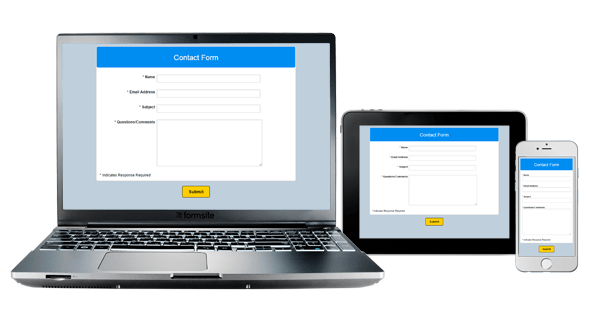 Formsite forms are now fully responsive, which means that you can build your form to be optimized for devices with different display sizes. Completing a form on a full-size desktop or laptop computer is much different than completing it on a tablet or smartphone. Our responsive forms builder automatically makes your Formsite forms change for the best possible experience on the device you're using.
 Formsite forms support
  FormSite’s newest release includes a bulk upload tool for files and images. The easy to use drag & drop uploader lets customers with large numbers of files and images quickly upload them to their account. All paid service levels now have access to the new bulk upload tool, located in your account under Account -> Files & Images.
 A valuable feature of Formsite forms is the ability to
 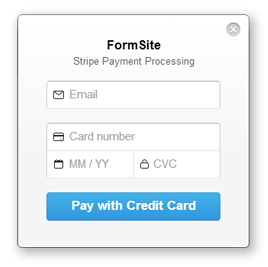 We have received many requests for an easy payment integration option. Stripe is an extremely easy to use, fast to set up, intuitive payment option that accepts the major credit cards from around the world. Their on-page payment form and simple fee structure make it a very attractive and competitive solution.
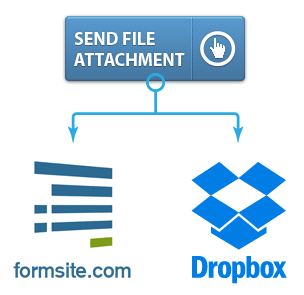 A new feature for our customers is an integration with the popular cloud file storage service Dropbox. Formsite users can now link individual forms with their Dropbox account to have file uploads automatically copied to a directory of their choosing.