Facebook and Twitter Publish
We’ve added new Publish options that make it easy to quickly share your form on Facebook or Twitter. Now you can rapidly get the word out about the great new form or survey you have created.


We’ve added new Publish options that make it easy to quickly share your form on Facebook or Twitter. Now you can rapidly get the word out about the great new form or survey you have created.
Ok, let's just say we are very excited about this. The big news - you can now repeat a page X times based on a user's response. For example, say you have a league signup form and there may be up to X team members on a form. You can now repeat a "player info" page X times based on how many players are being signed up. Previously this was possible, but it required detailed Item and Page Rules logic setup that was time consuming to setup and prone to mistakes. With our new repeating page logic, you simply designate that a given page will repeat X times based on the answer to a previous question. This makes setting up forms that require varying amounts of information very easy. We have a couple of templates made to help you get started.
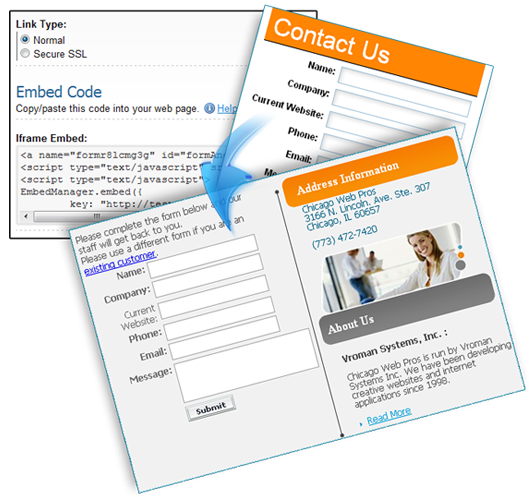
We have dramatically improved our embedding feature that enables you to embed Formsite forms into other web pages. Whether your form is single page, multi-page, an order form, or a password protected form, you can embed it and it will look great! We have done extensive testing across all browsers so no matter what browser your user is using, the embedded form is going to look great within your web page. The embedded form code is designed to take 100% of the space of the container that you embed the form in. Put simply, it is now even easier for you to embed your form into your page and it will look great.
Ever want additional questions to magically appear on your page based on how your user is completing your form? Many of our users have asked for this feature and we have added it. You can now choose to show/hide items on a page based on how items on that same page have been answered. For example, someone could check a box saying they will "provide additional detail". Upon checking this box, a field appears to collect the additional information. You may want to use this feature to make a form look less intimidating by showing far fewer fields initially, As the user completes your form, more fields will appear.
Our Authorize.net integration now enables you to map name and address information collected on your form into Authorize.net's secure payment form. This eliminates the need for the user to enter the same information twice if you happen to be collecting the name and address on your form. This is long overdue and it was a bit ridiculous that a user would enter an address at Formsite only to have to turn around and provide the same info to Authorize.net.
We have renamed our Skip/Branch feature to be simply "Rules" and along with this we have redesigned the "Rules" interface making it much easier to see the logic you have added. Our new interface only shows the custom logic you have added. This makes it much easier to see how your form will behave.
To make Formsite more helpful in viewing your collected results, we have completely revamped the Summary Table to make it more interactive. The Summary Table can now be used to organize and better see your data, instead of it being just a static page. One key usability feature is that the columns can be dynamically moved and resized- now you can organize your data independently of how your form is laid out. This way, for example, you can group all your order item results right next to each other, despite them being scattered throughout your form. Formsite will even remember how you laid out your columns, so when you return to the Summary Table, everything will be just as you left it.
Formsite forms can now integrate with PayPal Payments Pro service. Payments can now be collected via credit card without the user being transferred to PayPal's site. This integration makes for a very professional process flow and a very consistent presentation to your customer. A user will fill out your Formsite order form, be taken to an Order Review page to enter their credit card information, and then be transferred to the Success Page of your choice after payment is processed.
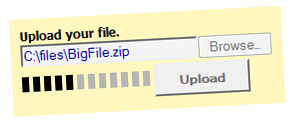
Our Attachment item that allows users to upload files (images, videos, documents, etc.) with their form submission is a popular feature. We have increased the maximum file size limitation from 20MB to 50MB per file. We also allow you to restrict the file sizes if you do not want accept files this large.
Depending on the end user’s connection speed, it can take awhile to transmit 50MB of data, so we have added a progress indicator for each file being uploaded. This new progress indicator is shown for all Attachment uploads regardless of size.