Full Cloud Migration Complete
Formsite has wrapped up migrating our architecture to a 100% cloud-based processing and storage system. This monumental task puts the power of cloud computing in our hands with a practically limitless scalable structure. In addition to processing power, cloud computing also allows Formsite to establish servers in geographically advantageous locations to enable faster connections and diverse redundancies.
 Cloud Services for Customers
Cloud servicing offers our customers the peace of mind that comes with virtual computing and knowing that their data is secure. Since the cloud is made up of a large network of computing systems, data is invulnerable to physical events like hard drive crashes, power outages, or other machine failures. With the cloud components sharing the burden of data storage and processing, the potential for data loss is lower than ever.
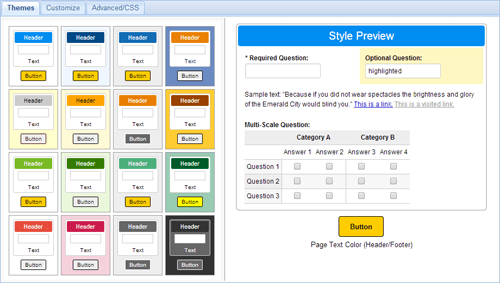

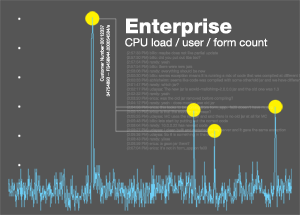 Formsite enterprise customers are high-volume users whose needs often require extra processing power, higher limits, and dedicated servers. Additionally, our white label options are frequently used to create a seamless integration of Formsite into enterprise websites. Newly added to the site are
  Our most recent release contains a few new features to help with both front-end compatibility and back-end workflow. The most visible feature is the new Mobile Friendly switch we’ve included in the Look & Feel page for all forms.
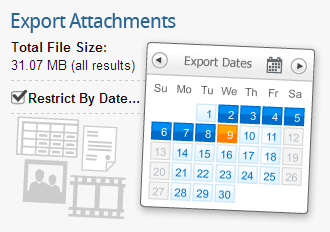 A newly-released function to enhance back-end workflow is an optimization to provide a date filter when exporting attachments.
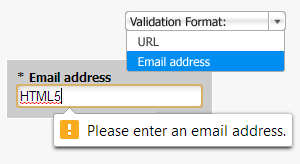 HTML5 offers new code elements that allow programmers to present interactive content easily. In addition to providing more types of content, HTML5 validation will automatically check form fields for the correct format. This automatic validation lets the visitor know when the form encounters a response that doesn’t match the expected response format, such as URLs and email addresses.
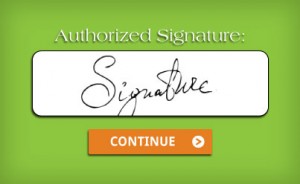 We have added a new Signature item that can be added to your form. You can now capture electronic signatures on forms by allowing visitors to sign with their mouse, finger, or stylus. This will help you to verify your users’ identities or allow your users to provide an extra layer of consent to your forms.