Form Settings to Enhance Your Form
 Every Formsite form has settings that you can customize to enhance your form’s security, description, and access. Your form settings can greatly increase the usability of your forms by both visitors and account users, and the security on both the account side and the visitor’s side.
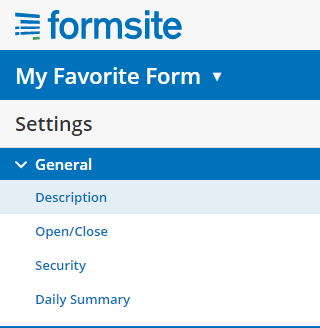
Your form’s General Settings can be found under the Form Settings link and include:
Every Formsite form has settings that you can customize to enhance your form’s security, description, and access. Your form settings can greatly increase the usability of your forms by both visitors and account users, and the security on both the account side and the visitor’s side.
Your form’s General Settings can be found under the Form Settings link and include:
- Description
- Open/Close
- Security
- Daily Summary
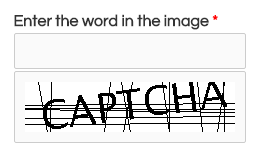 SPAM appears in many forms as it dilutes real information and creates suspicious cynics of us all. Where email SPAM can send a million copies of the same pre-constructed message to a huge list of addresses, form SPAM can only connect and complete each form one at a time. This limitation gives us an edge for protecting your forms.